|
|||
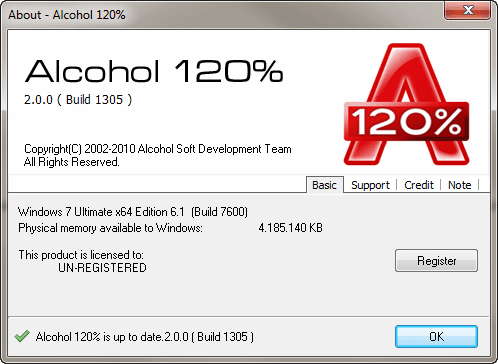
Note: you cannot register a Trial version of Alcohol, if you have a Trial version of Alcohol installed in your system then you will need to uninstall it and install latest Retail version of Alcohol. You can download the latest Retail version of Alcohol in our site at www.alcohol-soft.com (you will need to log in here using your e-mail address and password you used when you purchased it). Following successful installation of a Retail version of Alcohol, the first time you run it you will see the following window:
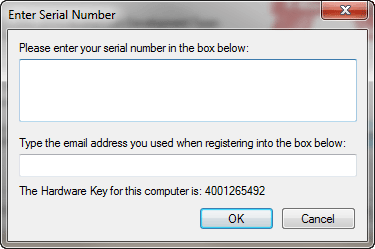
Click on the "Register" button. The following screen will appear:
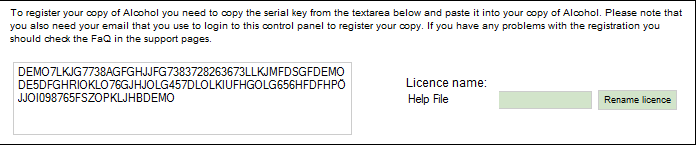
Now you need to insert in this window your license serial number and the email address of your account in our site. Please log in to our site using your e-mail address and password you used when you purchased Alcohol (or updated e-mail address if you did updated it in your account details in our site), then select License(s) from the left menu and then click at Serial, you will see your serial number in your account as below:
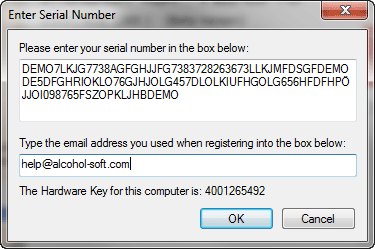
Highlight your serial number making sure that either before or after the serial number there are no gaps or spaces and press Ctrl+C to copy the serial number. Return to Alcohol, use Ctrl+V to paste your serial number in the top field and type your e-mail address that you used when you purchased Alcohol (or updated e-mail address if you did updated it in your account in our site) in the bottom field. Then click "OK".
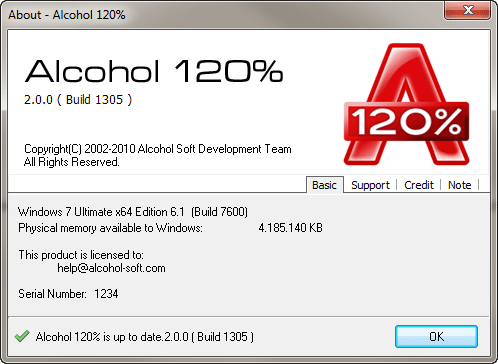
If you have carried out the procedure correctly you will see the following screen. Congratulations! You have now installed and registered Alcohol Software. Click "OK" and you can start using Alcohol.
Note: Internet connection is required to activate the software online (only required for Retail version). |